
This tool supports teachers in monitoring their students’ reflections as generated in the RIDE app. The tool is normally placed in the Teacher Dashboard of an ILS.
Categories
- Go-Lab Inquiry Apps
- Learning Analytics Apps
- Domain Specific Apps
- Math Related Support Apps
- Collaboration Apps
- General Apps
Languages
- Arabic
- Basque
- Bulgarian
- Catalan
- Croatian
- Czech
- Dutch
- English
- Estonian
- Finnish
- French
- Georgian
- German
- Greek
- Hindi
- Hungarian
- Indonesian
- Italian
- Latvian
- Polish
- Portuguese
- Romanian
- Russian
- Serbian
- Simplified Chinese
- Slovak
- Spanish
- Swahili
- Traditional Chinese
- Turkish
- Ukrainian
- Vietnamese
Apply
Reset
Apps are dedicated software tools that help students in their inquiry learning tasks and help students to create hypotheses, design experiments, make predictions, formulate interpretations of the data, etc. Other learning apps present students, for example, with a quiz or allow students to view online teacher feedback. Learning Analytics apps give teachers an overview of students’ progress in the ILS.
This page presents Apps created during Go-Lab and Next-Lab projects. Please note that the Go-Lab Authoring Platform Graasp is no longer maintained. This means that it is not possible to create and publish new Go-Lab Inquiry Learning Spaces using the Apps listed on this page. If you are interested in creating and using Inquiry Learning Spaces in your classroom, please visit the new Authoring Platform Graasp.org
Sort by

With this application students are encouraged to reflect on their collaboration skills. To do so, this application uses principles of joint reflection (peer assessment and discussion). Reflection is facilitated in three steps: 1) assessment 2) evaluation 3) goal setting.
This tool gives a summary of all the quizzes contained in the ILS, by showing a graphical overview of the answers of all students combined together, and also that of individual students.
With the quiz app teachers can create quizzes containing multiple choice, multiple select, open answer, slider for numerical values, tabular, and two-way (yes/no) questions. The questions, possible answers and feedback to the student can be edited interactively in the configuration.

The phase transitions app intends to let the student reflect on time spent and switching of phases in an ILS. Whereas the time spent app shows the accumulated time for each phase, this tool shows a chart representing when and for how long a student visited a phase.
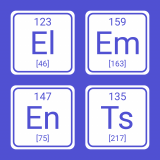
The app shows the chemical elements in the standard periodic table. The elements are shown with their atomic number and their symbol, which is a one to two letter abbreviation; for instance Fe for iron.

This app shows in which phase of the ILS is each student currently active. It can also be configured to show in which app the students performed their last activity. The activity information is updated in real time.

When the navigation buttons app is included in an ILS it shows the next or previous phase button so that students can navigate directly to the next or previous phase in the ILS.

This app allows students to drag labels and drop them into frames, indicating the different parts of an image. This image can be a screenshot of any lab, a diagram explaining the different components of something, etc.

This app plots mathematical functions. Multiple functions can be drawn in the same plot. Options include adding derivatives of functions as well as showing the tangent line when hovering over the graph.
See the help button for all features.